Is Your React App Slow Because of Keys? Check Again!
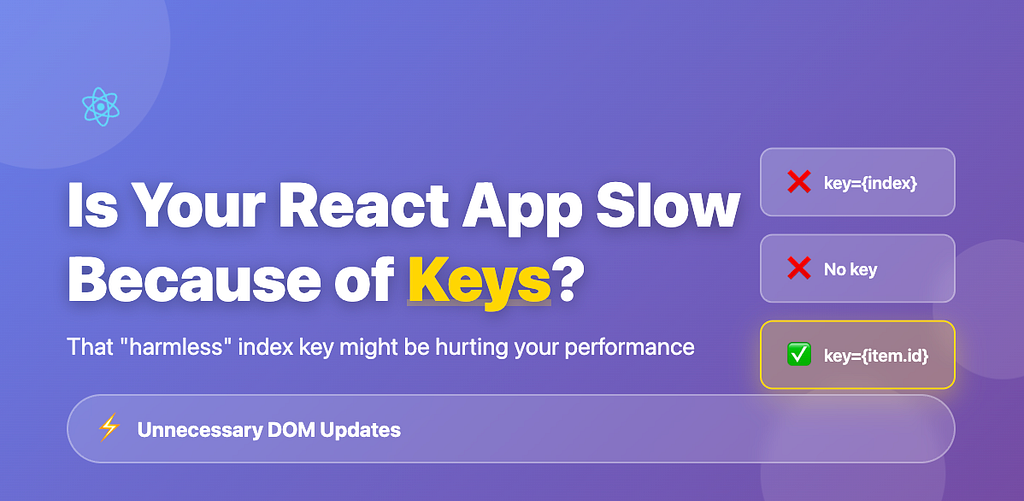
If you’ve worked with React, you’ve probably seen this warning at least once:
Warning: Each child in a list should have a unique "key" prop.And you probably “fixed” it like this:
{items.map((item, index) => (
  <div key={index}>{item.name}</div>
))}
But this might not be the fix you think it is. Let me show you why, and more importantly, how to do it properly.
The Problem: A Simple Todo List
Let’s say you have a basic todo list:
const todos = [
  { id: 1, text: 'Buy milk' },
  { id: 2, text: 'Read book' },
  { id: 3, text: 'Exercise' },
  { id: 4, text: 'Code review' }
];

function TodoList() {
  return (
    <div>
      {todos.map((todo, index) => (
        <div key={index}>
          {todo.text}
        </div>
      ))}
    </div>
  );
}
Looks fine, right? The warning is gone. But here’s what happens when you delete the first item (“Buy milk”):
What React Actually Sees
With Index as Key:
// Before deletion:
key=0: <div>Buy milk</div>
key=1: <div>Read book</div>
key=2: <div>Exercise</div>
key=3: <div>Code review</div>

// After deleting "Buy milk":
key=0: <div>Read book</div>    // Changed!
key=1: <div>Exercise</div>     // Changed!
key=2: <div>Code review</div>  // Changed!
key=3: (nothing)               // Removed!
React thinks: “Item at key=0 changed from ‘Buy milk’ to ‘Read book’, key=1 changed from ‘Read book’ to ‘Exercise’…”
Result: React updates 4 DOM elements (3 content updates + 1 removal)
With Unique ID as Key:
// Before deletion:
key=1: <div>Buy milk</div>
key=2: <div>Read book</div>
key=3: <div>Exercise</div>
key=4: <div>Code review</div>

// After deleting "Buy milk":
key=2: <div>Read book</div>     // Same!
key=3: <div>Exercise</div>      // Same!
key=4: <div>Code review</div>   // Same!
React thinks: “Item with key=1 is gone, everything else is identical.”
Result: React updates 1 DOM element (just the removal)
The Performance Impact
The difference can be significant:
10 items  →  Index key: 10 operations  |  Unique key: 1 operation
50 items  →  Index key: 50 operations  |  Unique key: 1 operation
100 items →  Index key: 100 operations |  Unique key: 1 operation
The bigger your list, the more DOM operations are wasted.
For a 100-item list:
- Index as key: 100 operations (updates all 99 items + removes 1)
- Unique key: 1 operation (just removes 1)
That’s a lot of unnecessary work that could slow down your UI, especially on lower-end devices or when dealing with complex components.
The Right Way to Use Keys
❌ Wrong:
// Using index
{items.map((item, index) => (
  <div key={index}>{item.name}</div>
))}

// Using random values
{items.map((item) => (
  <div key={Math.random()}>{item.name}</div>
))}

// No key at all
{items.map((item) => (
  <div>{item.name}</div>
))}
✅ Right:
// Using database ID
{users.map((user) => (
  <UserCard key={user.id} user={user} />
))}

// Using UUID for client-side data
import { v4 as uuidv4 } from 'uuid';

const addItem = (text) => {
  setItems([...items, {
    id: uuidv4(),
    text
  }]);
};

{items.map((item) => (
  <div key={item.id}>{item.text}</div>
))}

// Using unique stable property
{users.map((user) => (
  <div key={user.email}>{user.name}</div>
))}
When Index as Key is Actually OK
There are rare cases where using index is acceptable:
// 1. Static list that never changes
const WEEKDAYS = ['Mon', 'Tue', 'Wed', 'Thu', 'Fri', 'Sat', 'Sun'];

{WEEKDAYS.map((day, index) => (
  <div key={index}>{day}</div>  // OK - list never changes
))}

// 2. Read-only display with no reordering
{tags.map((tag, index) => (
  <span key={index}>{tag}</span>  // OK - just displaying
))}
But if your list can be:
- Deleted from
- Reordered
- Filtered
- Dynamically sorted
Then the index as key will hurt performance.
A Real-World Example
Let’s see the difference in action:
function ProductList() {
  const [products, setProducts] = useState([
    { id: 1, name: 'Laptop', price: 999 },
    { id: 2, name: 'Mouse', price: 25 },
    { id: 3, name: 'Keyboard', price: 75 },
    // ... 100 more products
  ]);

  const deleteProduct = (id) => {
    setProducts(products.filter(p => p.id !== id));
  };

  return (
    <div>
      {/* ❌ BAD: Every delete triggers 100+ DOM updates */}
      {products.map((product, index) => (
        <ProductCard
          key={index}
          product={product}
          onDelete={() => deleteProduct(product.id)}
        />
      ))}

      {/* ✅ GOOD: Only 1 DOM update per delete */}
      {products.map((product) => (
        <ProductCard
          key={product.id}
          product={product}
          onDelete={() => deleteProduct(product.id)}
        />
      ))}
    </div>
  );
}
With 100 products:
- Bad version: Deleting one product triggers many unnecessary DOM updates
- Good version: Deleting one product only removes that single element
The difference is noticeable, especially on mobile devices or with complex components.
The Bottom Line
Using proper keys is one of the easiest performance optimizations in React:
- Always use unique, stable IDs for dynamic lists
- Never use index for lists that can change
- Never use random values (like Math.random() or Date.now())
One line of code change can significantly improve your app’s performance:
// Change this:
key={index}

// To this:
key={item.id}
That’s it. Simple fix, better performance.
Try It Yourself
Want to see the difference? I built an interactive demo where you can test different key strategies and watch the DOM operations counter in real-time. Try deleting items with index keys vs unique keys and observe the difference in DOM operations.
Key Takeaways
✅ Keys help React identify which elements changed
✅ Index as key causes unnecessary DOM updates for dynamic lists
✅ Use database IDs or UUIDs for unique keys
✅ Wrong keys can significantly hurt performance
✅ This is an easy fix with meaningful performance benefits
Found this helpful? Share it with your team. Understanding keys can improve your React app’s performance.
Questions? Drop them in the comments below!
Want to dive deeper into React performance? Check out:
Working on something similar? Get in touch
Have questions about this article, architecture patterns, or looking for pair programming and engineering consulting? My inbox is always open.
Send me an emailRelated Articles
how 'this' behaves in the call, bind, apply
**a brief intro of this with call, bind and apply**
What Really Happens When You Call setTimeout()?
A Deep Dive from JavaScript to Hardware Every JavaScript developer has used setTimeout. It's one of the first async concepts we learn. But have you ever won...
Confusion will be gone about 'this'
Most confusion about `this` comes from one wrong assumption: that it's decided by where a function is **written**. It isn't. `this` is decided by how the function is **called**.